
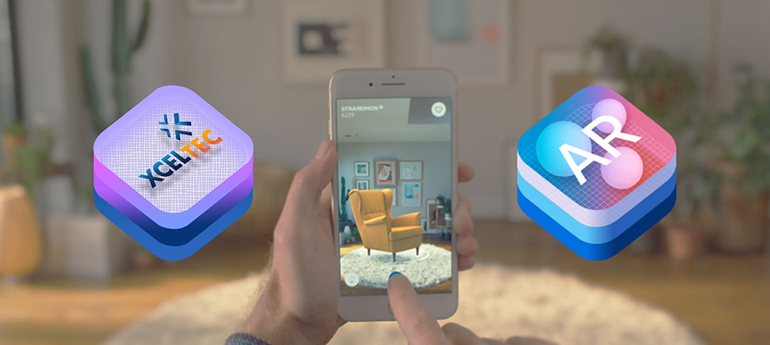
What is Apple ARKit Overview and Its Features Highlights
The era of AR/VR has just started, There is no doubt about that AR/VR both is cool. But in 2019 their use cases continues increasing. Apple just released the new Apple ARKit in 2017 that maximum use by AR developers to build high-detail AR experience for Mobile devices. Let’s read in detail for Apple ARKit and It’s Features Highlights.
What Is Apple ARKit? Overview and Key Features
Augmented Reality (AR) has transformed the way users interact with mobile applications by combining digital content with the real world. From interactive gaming and education to retail, marketing, healthcare, and architecture, AR technology has opened new opportunities for businesses and developers.
For iOS developers, Apple introduced ARKit as a powerful framework for creating augmented reality experiences on iPhone and iPad devices. First introduced in 2017, ARKit 1.0 provided developers with the tools required to build immersive AR applications using the device’s camera, motion sensors, and advanced computer vision capabilities.
Although ARKit 1.0 was the first major step in Apple’s AR development ecosystem, it established the foundation for many of the AR experiences that followed.
What Is Apple ARKit?
ARKit is Apple’s augmented reality development framework for iOS devices. It enables developers to create applications that combine digital objects, animations, and information with the user’s real-world environment.
Using ARKit, an application can use the iPhone or iPad camera to understand the environment around the user. Digital objects can then be placed within the real world and displayed through the device screen.
For example, users can:
- Place virtual furniture inside their homes
- View 3D objects in real-world surroundings
- Play augmented reality games
- Explore interactive educational content
- Visualise products before purchasing
- Create location-based AR experiences
ARKit makes these experiences possible by combining camera data with device motion sensors and computer vision technologies.
How Does ARKit Work?
ARKit uses the camera and motion sensors available on supported iPhone and iPad devices to understand the user’s surroundings.
The framework analyses visual information from the camera while simultaneously tracking the device’s movement. This enables the application to determine how the device is moving and understand the position of surfaces in the environment.
The process generally involves:
- Camera Tracking – ARKit analyses the live camera feed.
- Motion Tracking – Device sensors track movement and orientation.
- Environmental Understanding – ARKit identifies surfaces and real-world features.
- Digital Object Placement – Virtual content is positioned within the environment.
- Real-Time Interaction – The virtual content responds as the user moves the device.
This combination creates the impression that digital objects exist within the physical environment.
Key Features of ARKit 1.0
1. World Tracking
One of the most important capabilities of ARKit 1.0 is world tracking.
ARKit combines camera information with motion sensor data to track the position and movement of the device in the real world. This allows developers to create stable AR experiences in which virtual objects remain positioned within the environment.
For example, a developer can place a virtual object on a table. As the user moves the iPhone or iPad around the table, the object can remain in its position within the AR environment.
2. Horizontal Plane Detection
ARKit 1.0 introduced the ability to detect horizontal surfaces such as:
- Floors
- Tables
- Desks
- Other flat surfaces
This capability allows developers to place virtual objects on real-world surfaces.
For example, a furniture application can allow users to place a virtual chair or table on their floor and view how it looks within their home.
This feature has significant potential for:
- Retail applications
- Interior design
- E-commerce
- Gaming
- Product visualisation
3. Motion Tracking
ARKit uses the device’s motion sensors to understand movement and orientation.
As users move their device, ARKit tracks changes in position and direction. This allows digital content to remain visually connected to the physical environment.
Motion tracking is essential for creating a smooth and realistic AR experience.
Without accurate motion tracking, virtual objects may appear to move incorrectly or become disconnected from their real-world surroundings.
4. Camera Scene Capture
The camera plays a central role in augmented reality.
ARKit uses the device camera to capture the user’s environment and combine it with virtual content. The result is a live view in which users can see both the real world and digital objects simultaneously.
This allows developers to create applications that display:
- 2D images
- 3D objects
- Animations
- Interactive visual elements
within the real-world camera view.
5. 3D Content Integration
ARKit enables developers to integrate 3D models and virtual objects into mobile applications.
These objects can be placed within the user’s environment and viewed from different angles.
For example, an application could allow users to:
- View a 3D product
- Examine an object from multiple directions
- Place a virtual character in a room
- Explore an interactive 3D model
This makes ARKit particularly useful for industries that rely on visualisation.
6. Support for Unity and SceneKit
ARKit works with Apple’s development technologies, including SceneKit and SpriteKit. It can also be integrated with popular game development technologies such as Unity.
This gives developers greater flexibility when creating AR applications.
Developers can use these tools to build:
- AR games
- 3D applications
- Interactive experiences
- Product visualisation tools
- Educational applications
The combination of ARKit with powerful 3D development tools allows developers to create highly engaging mobile experiences.
What Made ARKit Important for Mobile App Development?
Before ARKit, developing high-quality augmented reality applications for iOS often required developers to rely heavily on third-party frameworks and complex development processes.
ARKit simplified the development process by providing developers with an Apple-supported framework specifically designed for iOS devices.
This offered several benefits:
Better Hardware and Software Integration
Because ARKit was designed for Apple’s ecosystem, developers could build AR experiences that worked closely with the device’s camera and motion sensors.
Faster Development
Developers could use built-in AR capabilities rather than developing every tracking and positioning system from the ground up.
Improved User Experience
ARKit helped developers create more stable and interactive AR applications.
New Business Opportunities
Businesses could explore AR for marketing, retail, education, entertainment, and other industries.
Real-World Applications of ARKit
ARKit opened the door to numerous types of mobile applications.
Retail and E-Commerce
Customers can view products in their real-world environment before purchasing them.
Interior Design
Users can visualise furniture, decorations, and other products inside their homes.
Education
Students can interact with 3D models and explore complex subjects in a more engaging way.
Gaming
Developers can combine physical environments with digital gameplay.
Marketing
Brands can create interactive advertisements and promotional campaigns.
Architecture
Architects can visualise designs and 3D structures in real-world environments.
ARKit and the Future of Augmented Reality
ARKit 1.0 represented an important milestone in mobile augmented reality development. It demonstrated how smartphones could understand their surroundings and combine physical environments with digital content.
The foundation created by ARKit enabled developers to explore new possibilities in mobile applications. As AR technology continued to evolve, later versions introduced more advanced capabilities, including improved tracking, image recognition, object detection, shared experiences, and more sophisticated environmental understanding.
However, the fundamental concepts introduced by ARKit 1.0—camera tracking, motion tracking, plane detection, and real-world digital object placement—remain important foundations of mobile AR development.
Conclusion
Apple ARKit changed the way developers approached augmented reality application development on iPhone and iPad devices. With features such as world tracking, motion tracking, horizontal plane detection, camera scene capture, and 3D content integration, ARKit 1.0 gave developers the tools needed to create immersive mobile experiences.
From gaming and education to retail, marketing, architecture, and product visualisation, ARKit created new opportunities for businesses to connect with users in more interactive ways.
As augmented reality continues to evolve, businesses that adopt immersive technologies can create more engaging experiences and explore innovative ways to improve customer interaction.
XcelTec brings expertise in mobile application development and immersive technologies to help businesses explore innovative AR and VR solutions. If you are planning to build an AR-powered mobile application, our team can help transform your idea into an interactive digital experience.
Get in touch with us for more!
Contact us: +91 987 979 9459 | +1 919 400 9200
Email: sales@xceltec.com
Frequently Asked Questions
1. What is Apple ARKit?
Apple ARKit is an augmented reality framework developed by Apple for iPhone and iPad applications. It allows developers to combine digital content with the user’s real-world environment.
2. What was introduced with ARKit 1.0?
ARKit 1.0 introduced important AR capabilities such as world tracking, motion tracking, horizontal plane detection, and the ability to place virtual objects within real-world environments.
3. What can developers build with ARKit?
Developers can build AR games, product visualisation applications, educational tools, interior design applications, marketing experiences, 3D visualisation applications, and other interactive AR solutions.
4. Is ARKit suitable for business applications?
Yes. ARKit can be used to create business applications for industries such as retail, e-commerce, education, architecture, marketing, healthcare, and entertainment.