Why FileMaker Pro Becoming So Popular for Custom App Development
What is FileMaker Pro?
FileMaker Pro is a cross-platform database application program developed by the subsidiary of Apple Inc. (Claris International). FileMaker Pro is a mixture of a database engine with the GUI (Graphical User Interface) that allows users to organize the data into screens, layouts or forms and manage contacts and projects. At first, the FileMaker Pro was designed to work with Apple computers but then it also available on windows platform.
Why Is FileMaker Pro Becoming Popular for Custom App Development?
Businesses increasingly need software that matches their specific workflows, operational processes, and industry requirements. While off-the-shelf applications can be useful, they may not always provide the flexibility businesses need.
This is where FileMaker Pro offers a powerful alternative.
FileMaker Pro is a flexible, cross-platform application development platform that enables businesses to create custom apps, databases, workflow solutions, and business management systems without the complexity traditionally associated with software development.
For businesses that need a tailored solution, FileMaker Pro can help transform manual processes and disconnected data into a centralised, easy-to-use digital application.
What Is FileMaker Pro?
FileMaker Pro is a low-code application development platform developed by Claris, an Apple company. It combines database management capabilities with a visual development environment that allows businesses to create custom applications.
With FileMaker Pro, organisations can build applications for:
- Customer relationship management
- Inventory management
- Project management
- Sales and order processing
- Business reporting
- Workflow automation
- Retail and POS operations
- Customer databases
- Industry-specific business processes
One of the major advantages of FileMaker Pro is that it allows organisations to build customised business applications without requiring every user to have advanced programming knowledge.
Developers can use its visual tools, scripting capabilities, database architecture, and integrations to create solutions tailored to specific business requirements.
Why Is FileMaker Pro Popular for Custom App Development?
1. Flexible Custom Application Development
Every business has different processes.
A standard application may not perfectly match the way a company manages customers, sales, inventory, operations, or reporting.
FileMaker Pro allows businesses to develop custom applications based on their specific requirements.
Companies can create custom:
- Data fields
- Layouts
- Workflows
- Reports
- Dashboards
- Business rules
- Automated processes
This flexibility makes FileMaker Pro suitable for businesses that need a solution designed around their operations.
2. Faster Application Development
Traditional software development can require significant time for planning, designing, coding, testing, and deployment.
FileMaker Pro provides a visual development environment that can help accelerate the development process.
Developers can quickly create and modify:
- Database structures
- User interfaces
- Forms
- Reports
- Automated workflows
This can make it easier to develop, test, and improve business applications.
3. Cross-Platform Compatibility
FileMaker solutions can support multiple platforms and devices.
Depending on the application architecture and deployment requirements, businesses can create solutions for environments such as:
- Windows
- macOS
- iPhone
- iPad
- Web-based access
This cross-platform flexibility can help businesses provide access to the same business information across different devices.
4. Centralised Data Management
Businesses often store information across spreadsheets, separate applications, emails, and manual records.
This can make it difficult to access accurate and up-to-date information.
FileMaker Pro allows businesses to centralise data within a custom application.
For example, a business application may combine:
- Customer information
- Product data
- Orders
- Payments
- Inventory
- Reports
This can help employees work with a more consistent source of business information.
5. Custom Reporting and Business Insights
Business data becomes more valuable when it can be easily analysed.
FileMaker Pro can be used to create customised reports and dashboards based on business requirements.
Businesses can generate reports related to:
- Sales performance
- Inventory
- Customer activity
- Financial data
- Operational performance
- Employee activity
Reports can be designed to provide relevant information to specific users and departments.
Important FileMaker Pro Capabilities
FileMaker Pro provides several capabilities that make it suitable for custom business applications.
Custom Database Development
Businesses can create database structures based on their specific requirements.
Instead of adjusting business processes to fit a standard application, organisations can develop a solution that supports their existing workflows.
Custom User Interfaces
FileMaker applications can include customised layouts and interfaces for different users.
For example, a sales employee, manager, administrator, and warehouse employee may each require access to different information.
The application can be designed to support these different roles.
Automated Reporting
Businesses can automate the creation of reports and business documents.
Reports can be generated in formats such as PDF and Excel, depending on the requirements of the organisation.
Data Sharing
FileMaker applications can allow authorised users to access business information across supported platforms and environments.
This can improve collaboration between teams and departments.
Web and Remote Access
Depending on the deployment architecture, FileMaker solutions can provide users with access to business data through supported web and remote access environments.
This can be useful for organisations with distributed teams or multiple locations.
Understanding FileMaker Pro Modes
FileMaker Pro includes different working modes for managing data and application layouts.
Browse Mode
Browse Mode is used to enter, view, and work with records.
Find Mode
Find Mode allows users to search for specific records based on defined criteria.
Layout Mode
Layout Mode is used to design the appearance and structure of the application’s user interface.
Preview Mode
Preview Mode allows users to review how data and reports will appear before printing or generating output.
Together, these capabilities allow businesses to manage data and present the same information in different ways.
Why Businesses Choose FileMaker Pro for Custom Apps
FileMaker Pro can be particularly valuable for businesses that need:
- A custom database application
- A replacement for complex spreadsheets
- A tailored CRM system
- A custom inventory management solution
- A sales management platform
- A custom POS system
- A workflow automation application
- A business reporting solution
The platform can be adapted to different industries and business processes.
The right solution depends on the organisation’s requirements, data structure, user roles, integrations, and deployment strategy.
XcelTec’s FileMaker Custom App Development Expertise
At XcelTec, we understand that businesses need applications that support their real operational requirements.
Our FileMaker development team can help organisations design, develop, customise, integrate, and maintain FileMaker-based business applications.
We can work with businesses to understand their requirements and convert them into practical custom software solutions.
Our FileMaker development services include:
- FileMaker custom application development
- FileMaker database development
- FileMaker iPhone application development
- FileMaker iPad application development
- FileMaker Windows application development
- FileMaker database integration
- FileMaker application customisation
- FileMaker migration and maintenance
- Business workflow automation
- Custom reporting and dashboard development
XcelTec FileMaker POS Case Study
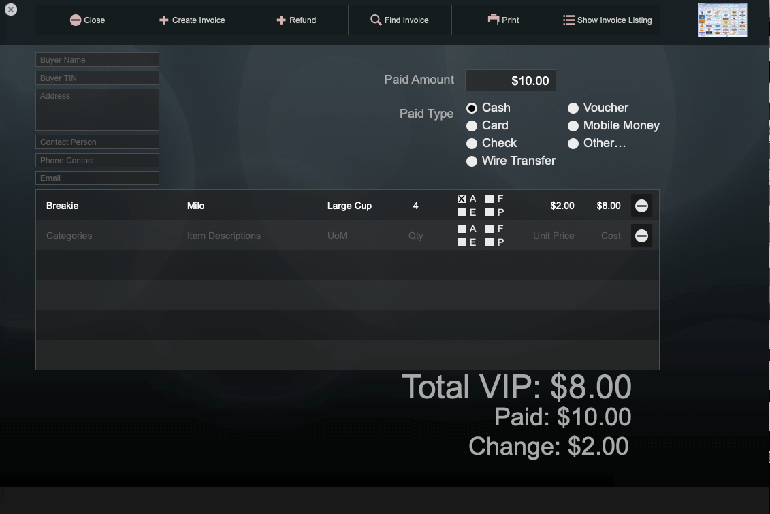
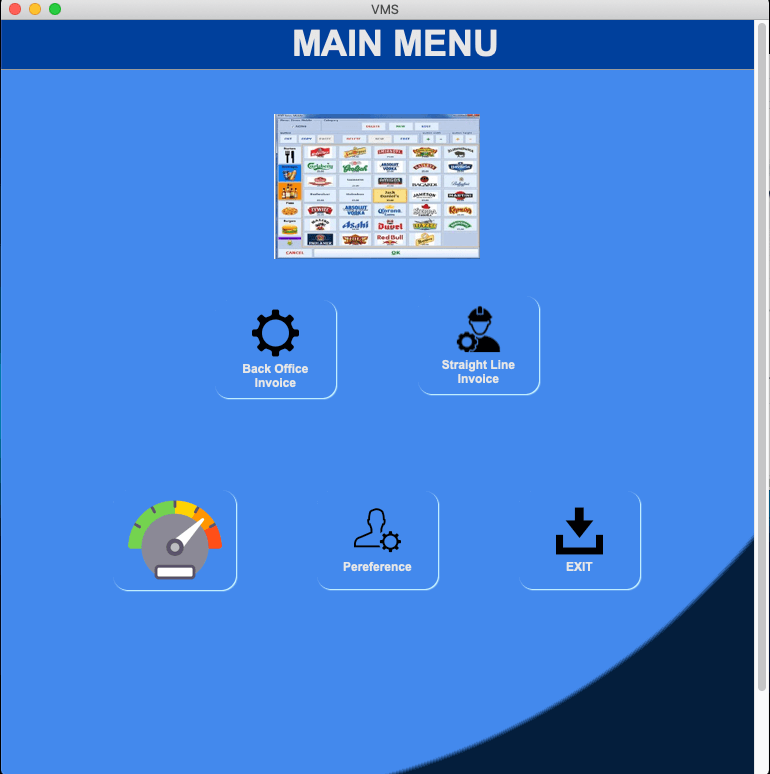
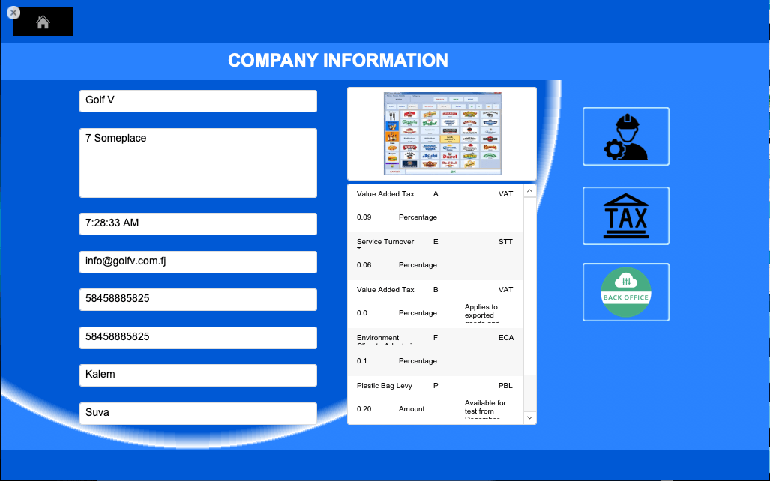
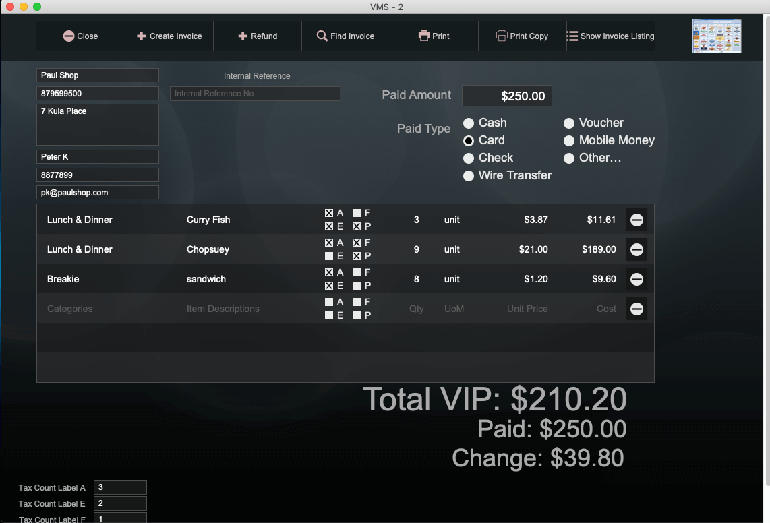
XcelTec has also worked on a FileMaker-based POS solution designed to support specific tax and operational requirements.
The project involved developing a POS system for a business operating in Fiji following changes to the country’s tax system.
The solution was designed to support:
- Tax calculation
- Invoice management
- POS transactions
- Offline invoice processing
- Tax-related data management
- Reporting
- Integration requirements
The objective was to create a reliable, full-featured POS solution that could help reduce manual tax calculation and improve operational efficiency.
Key Features of the FileMaker POS Solution
The solution included:
Automatic Invoice Generation
The system can generate invoices based on completed sales transactions.
Sales Reporting
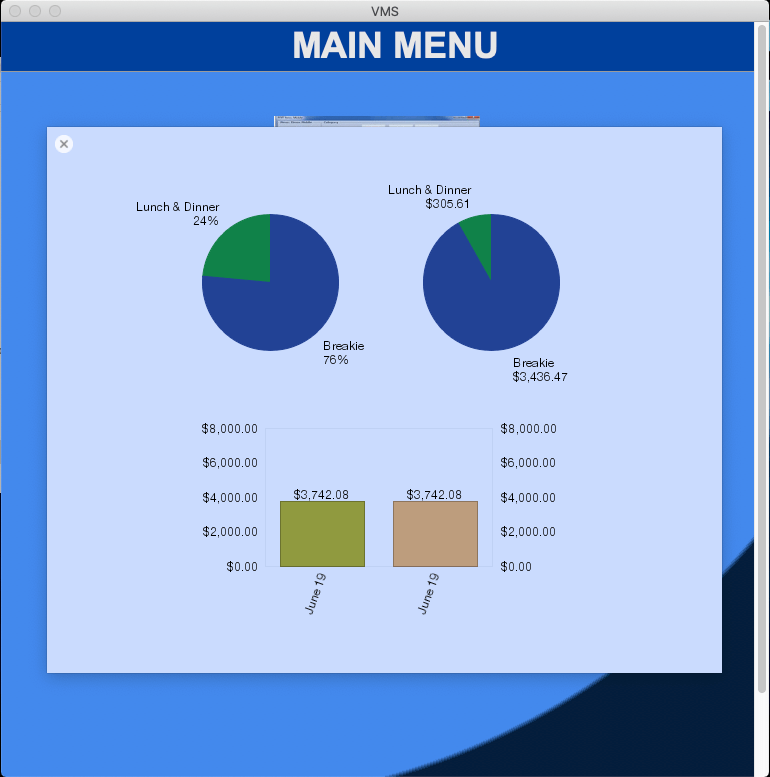
Businesses can access sales reports with visual data representation, including charts and graphs.
Simple Transaction Interface
The POS interface was designed to make sales transactions easier for employees to manage.
Product Search
Users can quickly search for items and add them to customer orders.
Automated Billing Calculations
The system can automate billing-related calculations to reduce manual effort and improve accuracy.
This project demonstrates how FileMaker Pro can be used to build customised applications for specific business and industry requirements.
Why Choose XcelTec for FileMaker Development?
Choosing the right development partner is important when building a custom business application.
XcelTec provides:
Experienced Development Expertise
Our development team has experience working with different technologies and business requirements.
Customised Solutions
We do not believe every business should use the same application.
We develop solutions based on the specific needs of each client.
Scalable Application Architecture
Our development approach considers the future growth of the business and the possibility of adding new features.
Transparent Development Process
We focus on clear communication, project planning, development, testing, and delivery.
Flexible Resources
Businesses can work with development resources based on their project requirements.
Business-Focused Development
Our objective is not only to develop software but also to help businesses improve their workflows and operational efficiency through technology.
Conclusion
FileMaker Pro has become a popular choice for businesses looking to develop custom applications without the complexity of traditional software development approaches.
Its combination of database management, custom interfaces, workflow automation, reporting, and cross-platform capabilities makes it suitable for a wide range of business applications.
From CRM and inventory systems to POS platforms and industry-specific applications, FileMaker Pro can be adapted to meet different business requirements.
However, developing an effective FileMaker solution requires more than simply creating a database. The application must be designed around business workflows, user requirements, data security, scalability, and future development needs.
XcelTec provides FileMaker custom app development services to help businesses transform their ideas and operational requirements into practical software solutions.
Looking to develop a custom FileMaker application for your business? Contact XcelTec to discuss your requirements and explore the right development approach for your organisation.
Frequently Asked Questions
1. What is FileMaker Pro used for?
FileMaker Pro is used to develop custom business applications and database solutions. Businesses can use it for CRM, inventory management, project management, POS systems, reporting, workflow automation, and other industry-specific applications.
2. Is FileMaker Pro suitable for small and growing businesses?
Yes. FileMaker Pro can be suitable for small and growing businesses that need a customised application. Businesses can start with the features they currently require and expand the solution as their operations grow.
3. Can XcelTec develop a custom FileMaker application?
Yes. XcelTec provides FileMaker custom app development services, including application development, database solutions, platform-specific applications, customisation, integration, migration, and maintenance.
4. What type of businesses can benefit from FileMaker development?
Businesses across different industries can benefit from FileMaker development when they need a custom application for managing data, workflows, customers, sales, inventory, reporting, or other business operations. The final solution can be designed according to the organisation’s specific requirements.