
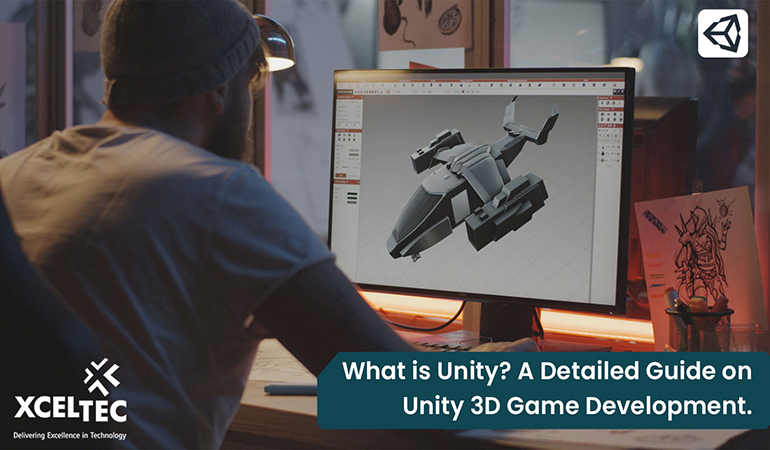
What is Unity? A Detailed Guide on Unity 3D Game Development.
Unity 3D Game Development: A Guide to Advanced Graphics and Rendering
Unity has evolved into one of the most widely used real-time development platforms for creating interactive 2D and 3D experiences. While its accessible workflow makes it popular with beginners, Unity also provides advanced graphics, rendering, lighting, animation, and optimisation capabilities that support sophisticated game development projects.
For experienced Unity developers, the real value of the engine lies in its ability to combine a flexible development environment with powerful rendering technologies. From physically based rendering and real-time global illumination to high-fidelity materials and advanced post-processing, Unity enables teams to build visually rich games for mobile, PC, consoles, XR devices, and other platforms.
What Is Unity 3D?
Unity is a cross-platform real-time development engine and integrated development environment (IDE) used to create interactive applications and games. It supports both 2D and 3D development and provides tools for rendering, physics, animation, audio, scripting, input management, and platform deployment.
Unity primarily uses C# for scripting, allowing developers to build gameplay systems, tools, user interfaces, artificial intelligence, networking features, and other interactive experiences.
The Unity Editor provides a visual environment where developers can:
- Build and manage game scenes
- Create and configure 3D environments
- Apply materials and textures
- Configure lighting and cameras
- Manage animations
- Integrate physics systems
- Profile and optimise performance
- Deploy applications across multiple platforms
For experienced developers, Unity’s extensibility is particularly important. Custom editor tools, reusable systems, rendering features, shaders, and development workflows can be created to support the specific requirements of a project.
Advanced Graphics and Rendering in Unity
Graphics quality is one of the most important factors in modern game development. Unity provides several technologies that allow developers to create visually detailed and technically sophisticated experiences.
Physically Based Rendering
Physically Based Rendering (PBR) allows materials to respond to light in a more realistic and consistent way. Instead of manually creating unrealistic visual effects, developers can define material properties such as:
- Albedo
- Metallic values
- Smoothness
- Normal maps
- Occlusion
- Emission
PBR workflows help create more realistic surfaces, including metal, glass, fabric, stone, wood, and other materials.
Scriptable Render Pipelines
Unity provides Scriptable Render Pipelines that give developers greater control over the rendering process. This allows teams to customise rendering workflows according to the target platform and visual requirements.
The primary rendering approaches include:
- Universal Render Pipeline (URP): Designed for scalable performance across mobile, desktop, console, and other platforms.
- High Definition Render Pipeline (HDRP): Designed for high-fidelity graphics and demanding visual experiences.
- Custom rendering solutions: Developers can create customised rendering features for specialised requirements.
The choice of rendering pipeline should depend on the project’s target hardware, performance requirements, visual goals, and development strategy.
Real-Time Lighting and Global Illumination
Lighting plays a major role in creating atmosphere and visual realism. Unity supports real-time lighting techniques that allow developers to create dynamic environments where light can respond to changes in the scene.
Advanced lighting workflows can be used for:
- Dynamic day-and-night cycles
- Real-time shadows
- Environmental lighting
- Reflections
- Indirect lighting
- Real-time global illumination
Developers must balance lighting quality with performance, particularly when targeting mobile devices or hardware with limited GPU capabilities.
Shader Development
Shaders control how objects are rendered on screen. Experienced Unity developers can create custom shaders to achieve specialised visual effects such as:
- Water and liquid surfaces
- Holographic materials
- Dissolve effects
- Toon shading
- Realistic skin
- Procedural environments
- Visual effects
- Custom post-processing effects
Unity supports shader-based workflows that allow developers to create unique visual styles and optimise rendering for specific hardware.
Optimising Graphics Performance
High-quality graphics alone do not guarantee a successful game. Developers must also ensure that the game performs consistently across target devices.
Common optimisation strategies include:
Level of Detail (LOD)
LOD systems allow developers to use different levels of model complexity depending on the distance between the camera and the object. Distant objects can use simplified models, reducing GPU and CPU workload.
Occlusion Culling
Occlusion culling prevents objects that are not visible to the camera from being rendered. This can significantly reduce unnecessary rendering work in complex environments.
Texture Optimisation
Large textures can consume considerable memory. Developers can improve performance by using:
- Appropriate texture resolutions
- Texture compression
- Mipmap generation
- Texture atlasing
GPU and CPU Profiling
Unity’s profiling tools help identify performance bottlenecks. Developers can analyse:
- CPU usage
- GPU performance
- Memory consumption
- Rendering calls
- Frame timing
- Garbage collection
Profiling should be an ongoing part of development rather than something performed only before release.
Unity Asset Store and Development Resources
Unity also provides access to a large ecosystem of assets, tools, plugins, and development resources. Developers can use these resources to accelerate development, although third-party assets should be carefully evaluated for performance, compatibility, security, and long-term maintenance.
Experienced teams often combine ready-made assets with custom systems to achieve the right balance between development speed and technical control.
Unity for Multi-Platform Game Development
One of Unity’s major strengths is its ability to support development across multiple platforms. A project can be adapted for different target environments, including:
- Windows
- macOS
- Linux
- Android
- iOS
- Consoles
- Web platforms
- XR and immersive devices
However, cross-platform development does not mean that a single build will perform identically everywhere. Each platform has different hardware capabilities, input methods, screen resolutions, memory limitations, and performance requirements.
Therefore, experienced Unity developers need to consider platform-specific optimisation throughout the development lifecycle.
Unity Compared with Other Game Engines
Unity is not the only game engine available to developers. Unreal Engine and other engines may provide advantages for specific types of projects.
Unity is often selected for:
- Cross-platform development
- Mobile games
- 2D and 3D projects
- Rapid prototyping
- Flexible development workflows
- Large asset and plugin ecosystems
- C#-based development
For projects that require highly detailed visual environments, advanced rendering capabilities, or specific technical workflows, the choice of engine should be based on the project’s requirements rather than popularity alone.
Why Advanced Unity Development Requires Technical Expertise
Modern game development involves much more than creating scenes and adding assets. Advanced Unity projects require knowledge of:
- Rendering pipelines
- Shader programming
- GPU architecture
- Performance profiling
- Memory management
- Lighting systems
- Asset optimisation
- Platform-specific development
- Real-time graphics techniques
Experienced developers can use Unity’s extensibility to create custom tools and systems that improve both the visual quality and performance of a game.
Conclusion
Unity 3D provides a powerful foundation for developing modern games and real-time interactive experiences. Its advanced rendering capabilities, physically based materials, custom shaders, lighting systems, Scriptable Render Pipelines, and performance optimisation tools make it suitable for demanding development projects.
For experienced Unity developers, the key is not simply using the engine’s default features. The greatest results come from understanding how rendering systems work, selecting the right technical approach, and optimising visual quality according to the target hardware.
With the right expertise, Unity can be used to create visually impressive and technically efficient games across mobile, desktop, console, and immersive platforms.
If you are planning a sophisticated game development project, XcelTec can help you design and develop scalable Unity-based gaming experiences tailored to your business and technical requirements.
Frequently Asked Questions
1. Is Unity suitable for advanced 3D game development?
Yes. Unity supports advanced 3D development through modern rendering pipelines, physically based rendering, custom shaders, real-time lighting, visual effects, and performance profiling tools.
2. Which Unity rendering pipeline should developers choose?
The right pipeline depends on the project. URP is generally suitable for scalable cross-platform development, while HDRP is designed for high-fidelity visual experiences that require advanced rendering capabilities.
3. How can Unity developers improve game graphics performance?
Developers can improve performance through LOD systems, occlusion culling, texture optimisation, efficient shaders, batching, memory management, and continuous CPU and GPU profiling.
4. Can Unity support cross-platform game development?
Yes. Unity supports development for multiple platforms, including mobile, desktop, consoles, web platforms, and XR devices. However, platform-specific optimisation is usually required to achieve consistent performance.