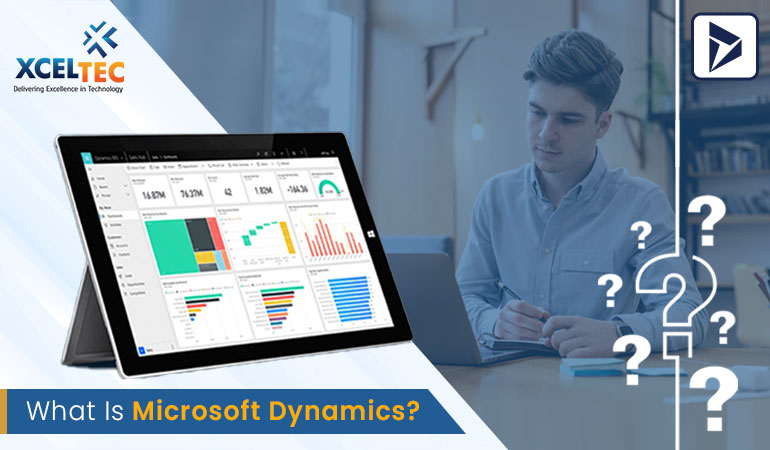
What is Microsoft Dynamics?
What Is Microsoft Dynamics? A Complete Overview of Microsoft’s Business Solutions
Microsoft Dynamics is a portfolio of enterprise business applications developed by Microsoft to help organizations manage critical business operations, customer relationships, financial processes, supply chains, sales, customer service, and more.
Over the years, Microsoft Dynamics has evolved significantly. Many of its traditional on-premises ERP and CRM products have transitioned into modern cloud-based solutions under the Microsoft Dynamics 365 portfolio.
Today, Microsoft Dynamics 365 provides businesses with a flexible ecosystem of intelligent business applications that can be adopted individually or integrated to support a complete digital transformation strategy.
What Is Microsoft Dynamics Used For?
Microsoft Dynamics solutions help organizations manage and automate a wide range of business functions, including:
- Financial management
- Accounting
- Sales and customer relationship management
- Customer service
- Supply chain management
- Manufacturing
- Human resources
- Project operations
- Marketing
- Business intelligence
- Field service
Organizations can select the applications that best meet their requirements and integrate them with other Microsoft technologies, such as Microsoft 365, Azure, Power Platform, and Teams.
Microsoft Dynamics ERP Solutions
Enterprise Resource Planning (ERP) systems help organizations manage their internal operations and business processes through centralized technology platforms.
Microsoft Dynamics ERP solutions have historically supported areas such as:
- Financial management
- Inventory management
- Supply chain operations
- Manufacturing
- Human resources
- Project management
- Procurement
- Business reporting
Several traditional Dynamics ERP products have evolved into modern cloud-based solutions.
Microsoft Dynamics GP
Microsoft Dynamics GP, formerly known as Great Plains, is an ERP solution designed primarily for small and midsized organizations.
It has traditionally supported:
- Financial management
- Accounting
- Inventory
- Supply chain operations
- Manufacturing
- Human resources
Dynamics GP continues to be used by organizations that require established ERP functionality and have existing on-premises or hosted deployments.
Microsoft Dynamics SL
Microsoft Dynamics SL, originally known as Solomon, was designed primarily for project-driven organizations.
The platform historically supported:
- Project accounting
- Financial management
- Project management
- Distribution
- Professional services operations
As Microsoft’s product strategy has increasingly focused on cloud-based solutions, organizations using legacy platforms such as Dynamics SL may evaluate newer cloud solutions within the Dynamics 365 ecosystem.
Microsoft Dynamics NAV and Dynamics 365 Business Central
Microsoft Dynamics NAV, originally known as Navision, was a popular ERP platform for small and midsized businesses.
It supported key business processes such as:
- Finance
- Sales
- Purchasing
- Inventory
- Supply chain management
- Manufacturing
- Project management
Microsoft later evolved the NAV product line into Dynamics 365 Business Central, a modern cloud-based ERP solution designed for small and midsized businesses.
Business Central provides organizations with tools for managing:
- Financial operations
- Sales
- Purchasing
- Inventory
- Manufacturing
- Supply chain processes
- Projects
- Business reporting
Its integration with the broader Microsoft ecosystem makes it a popular choice for organizations looking to modernize their ERP infrastructure.
Microsoft Dynamics AX and Dynamics 365 Finance
Microsoft Dynamics AX was an enterprise ERP platform designed for medium-sized and large organizations.
It supported complex business operations, including:
- Financial management
- Human resources
- Manufacturing
- Retail
- Supply chain management
- Operations management
- Project management
Microsoft has modernized the capabilities of Dynamics AX through cloud-based Dynamics 365 applications, including Dynamics 365 Finance and Dynamics 365 Supply Chain Management.
These cloud solutions provide organizations with more scalable and flexible tools for managing complex enterprise operations.
Microsoft Dynamics CRM and Customer Engagement
Microsoft also has a long history in customer relationship management.
Microsoft CRM was initially introduced in the early 2000s and later became part of the Microsoft Dynamics product family.
Over time, Microsoft expanded its CRM capabilities to cover a broader range of customer-facing business processes.
Today, the Dynamics 365 ecosystem includes applications designed for:
- Sales
- Customer service
- Field service
- Marketing
- Customer insights
These applications help organizations manage customer interactions throughout the entire customer lifecycle.
Dynamics 365 Sales
Dynamics 365 Sales helps sales teams manage customer relationships and improve the sales process.
Key capabilities include:
- Lead management
- Opportunity management
- Account and contact management
- Sales forecasting
- Pipeline management
- Customer insights
- Sales analytics
Sales teams can use the platform to track prospects, manage opportunities, and make more informed decisions based on customer and sales data.
Dynamics 365 Customer Service
Dynamics 365 Customer Service helps organizations manage customer support and service operations.
It can support:
- Case management
- Customer communication
- Knowledge management
- Omnichannel service
- Automated support workflows
- Customer service analytics
The goal is to help businesses deliver more consistent and personalized customer experiences.
Dynamics 365 Field Service
For organizations that manage field-based operations, Dynamics 365 Field Service provides tools for managing service activities outside traditional office environments.
It can help businesses manage:
- Work orders
- Scheduling
- Dispatching
- Field technicians
- Asset management
- Preventive maintenance
This can improve coordination between customers, service teams, and business operations.
The Microsoft Dynamics 365 Ecosystem
Microsoft Dynamics 365 is not a single application. It is a collection of connected business applications that organizations can select according to their specific needs.
The ecosystem includes solutions across areas such as:
- Finance
- Supply Chain Management
- Business Central
- Sales
- Customer Service
- Field Service
- Project Operations
- Human Resources
- Marketing and customer insights
Organizations can implement individual applications or combine multiple solutions to create a more connected business technology environment.
Integration with Microsoft Technologies
One of the major advantages of Microsoft Dynamics 365 is its integration with other Microsoft products and services.
Dynamics 365 can work alongside technologies such as:
- Microsoft 365
- Microsoft Teams
- Microsoft Azure
- Power BI
- Power Apps
- Power Automate
- Microsoft Dataverse
This integration allows organizations to connect business data, automate workflows, build custom applications, and create advanced reporting solutions.
For example, a company can use Dynamics 365 to manage customer information, Power BI to analyze business performance, Power Automate to automate repetitive processes, and Power Apps to build custom business applications.
Why Businesses Choose Microsoft Dynamics
Organizations choose Microsoft Dynamics solutions for several reasons.
Flexible Deployment Options
Modern Dynamics 365 solutions are primarily cloud-based, helping businesses reduce dependence on traditional infrastructure and improve scalability.
Modular Business Applications
Organizations can select the applications they need instead of implementing a large, one-size-fits-all platform.
Microsoft Ecosystem Integration
Businesses already using Microsoft technologies can benefit from strong integration across their existing technology environment.
Automation and Artificial Intelligence
Modern Dynamics 365 applications include automation and intelligent capabilities that can help businesses improve decision-making and reduce repetitive manual work.
Scalability
The platform can support organizations as they expand their operations, users, locations, and business processes.
The Future of Microsoft Business Software
Microsoft’s business software strategy is increasingly centered around cloud computing, artificial intelligence, automation, data analytics, and connected business applications.
Dynamics 365 is positioned as a central part of this strategy, helping businesses connect their financial, operational, customer-facing, and analytical processes.
Rather than relying on isolated business systems, organizations can build an integrated technology environment that connects data and workflows across departments.
Conclusion
Microsoft Dynamics has evolved from a collection of traditional ERP and CRM products into a comprehensive ecosystem of intelligent cloud-based business applications.
Today, Microsoft Dynamics 365 helps organizations manage everything from finance and supply chain operations to sales, customer service, field operations, and business intelligence.
Its modular structure, integration with the Microsoft ecosystem, cloud capabilities, automation tools, and support for modern business processes make it a flexible option for organizations undergoing digital transformation.
At XcelTec, we help businesses evaluate their technology requirements, design effective digital strategies, and implement software solutions that align with their operational and business objectives. Our team can help organizations explore modern enterprise technologies and develop solutions that support long-term growth and efficiency.
Frequently Asked Questions
1. What is Microsoft Dynamics?
Microsoft Dynamics is a portfolio of business applications developed by Microsoft for managing enterprise resource planning, customer relationship management, finance, sales, customer service, supply chain, and other business operations.
2. What is the difference between Microsoft Dynamics and Dynamics 365?
Microsoft Dynamics is the broader product family that includes Microsoft’s ERP and CRM solutions. Dynamics 365 is Microsoft’s modern cloud-based business application ecosystem that includes solutions such as Finance, Business Central, Sales, Customer Service, and Supply Chain Management.
3. Is Microsoft Dynamics suitable for small and midsized businesses?
Yes. Microsoft offers different Dynamics 365 solutions for businesses of different sizes. Dynamics 365 Business Central, for example, is designed primarily for small and midsized organizations, while other applications support larger and more complex enterprises.
4. Can Microsoft Dynamics integrate with other Microsoft products?
Yes. Microsoft Dynamics 365 can integrate with technologies such as Microsoft 365, Microsoft Teams, Power BI, Power Apps, Power Automate, Azure, and Microsoft Dataverse, helping organizations connect data and automate business processes.